Retail is changing faster than ever. From brick-and-mortar locations to e-commerce, and now to fully immersive virtual stores, the shopping experience is entering an entirely new era. As consumers become more digitally savvy, virtual stores are emerging as an exciting way for brands to deliver interactive and personalized experiences — no physical aisles required. But as retailers explore this new frontier, one question becomes crucial: How do you organize, optimize, and manage a store that exists entirely online? The answer lies in a familiar tool: planograms . This blog explores the rise of virtual stores, why they matter, and how planograms play a vital role in designing and managing these digital retail environments.
Where Do Planograms Fit into Virtual Stores?
While virtual stores are digital, the principles that govern product organization remain the same. Retailers still need:
- Structured product placement.
- Category flow.
- Shelf logic.
- Visual hierarchy.
- Inventory planning.
This is where planograms become indispensable.
How Planograms Help Retailers Succeed in Virtual Stores?
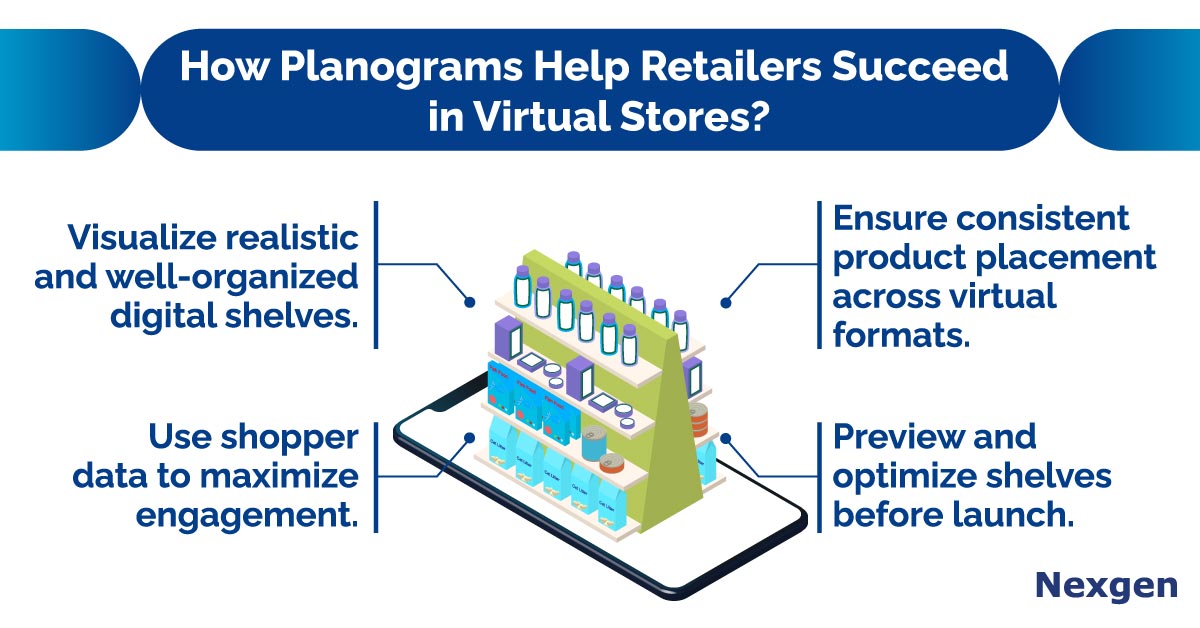
- Build and organize virtual aisles effectively: Planograms help retailers build and organize virtual aisles effectively by creating a clear and intuitive category flow that guides shoppers smoothly through the digital store, just like they would experience in a physical environment. Even though everything exists online, customers still expect logical product placement — starting from entry points and moving naturally toward checkout. Planograms allow retailers to map out this journey, so categories appear in a sequence that feels familiar and easy to navigate. For example, in a virtual supermarket, retailers can use planograms to position fresh produce near the entrance, followed by daily essentials, snacks, and beverages, ending with impulse items near checkout. This structure helps shoppers quickly locate what they are looking for without feeling lost in a digital maze.
- Maintain consistent visual merchandising: In a digital environment where shoppers rely solely on visuals to make decisions, planogram ensure consistent product spacing, so shelves look neat, balanced, and easy to browse. Planograms help retailers maintain consistent visual merchandising in virtual stores by ensuring every product and display follows a structured, visually coherent layout that reflects the brand’s identity. For example, in a virtual cosmetics store, planograms make sure lipsticks, foundations, and eyeliners are placed with equal spacing and aligned perfectly, preventing the cluttered look that often leads to shopper frustration. They also help displays match brand guidelines by maintaining approved color themes, background styles, and category arrangements — such as a skincare brand using soft pastel tones and minimalist layouts to convey purity and calmness throughout the virtual aisles.
- Simulate shelf layouts before publishing: With shelf planning, retailers can preview how each digital aisle will look before going live. This prevents shelf clutter, misplacement, or poor shopping experience. This is especially important in virtual stores, where even small visual errors can impact the shopper's experience. Planograms help retailers exactly how products will appear on digital shelves, identify issues such as cluttered layouts, misplaced items, or awkward product groupings, and correct them proactively. For example, a virtual toy store preparing its holiday collection can simulate the layout to notice that certain shelves look overcrowded with plush toys while puzzle games appear scattered across the page. Before customers ever see the store, the retailer can rearrange these items, group toys by age category, and ensure top-selling products are positioned in high-visibility zones. This pre-launch simulation not only enhances the overall look and usability of the virtual aisle but also ensures a smoother, more engaging shopping journey.
- Optimize shopper behavior through analytics: Planograms allow retailers to optimize virtual store layouts using real shopper behavior, thanks to analytics such as heatmaps, clicks, scroll depth, and hover time. By layering this data into planograms, retailers can make smarter decisions about product positioning, category flow, and promotional placement. For example, if heatmap data reveals that shoppers spend the most time hovering over the “organic snacks” section of a virtual grocery store, the retailer can update the planogram to place these items at the top of the digital shelf or closer to the entry point for greater visibility. Similarly, if click patterns show that customers often browse coffee immediately after cereal, planograms can be adjusted so these categories sit next to each other, creating smarter adjacencies and a more intuitive shopping path. Analytics also guides more effective promotions. If data shows that customers frequently ignore promotions placed at the bottom of the virtual aisle, retailers can reposition promotional banners to eye level or integrate them within high-traffic zones identified by heatmaps. For instance, a virtual fashion retailer might notice that shoppers click more on items featured in the center of the screen, prompting them to place new season offers and bundled deals in those hotspot areas. By continuously integrating analytics into planograms, retailers ensure every digital shelf reflects real shopper behavior, making the virtual shopping experience more personalized, efficient, and conversion focused.
Overview of Nexgen POG
Nexgen POG is a robust and user-friendly cloud-based visual merchandising tool. It is designed for quick and efficient planogramming with minimal effort. Planograms in retail can be designed by easily dragging and dropping the products. The multi-device compatibility feature of POG allows you to obtain, share and edit on any device, including your phone. It helps in designing store-specific planograms for increased product visibility and sales.
Get Your Free Trial Today!