In today's competitive retail landscape, designing shelves around products alone is no longer enough. While execution often takes center stage, true success lies in combining execution with a strong, shopper-focused strategy. Retailers who focus only on stocking shelves and maintaining displays may miss opportunities to influence shopper behavior and drive meaningful results. Shopper-centric planograms bridge this gap by aligning shelf design with how customers think, move, and make purchase decisions.
From Execution to Strategy-Driven Planning
Simply placing products on shelves does not guarantee visibility or sales. A strategic planogram approach ensures that every product has a purpose and position. Instead of relying on routine execution, retailers should focus on answering key questions such as:
- Which products deserve prime shelf space?
- How can categories be arranged to influence shopper decisions?
- What role does each product play in driving revenue?
This shift from execution to strategy helps create impactful and high-performing shelf layouts.
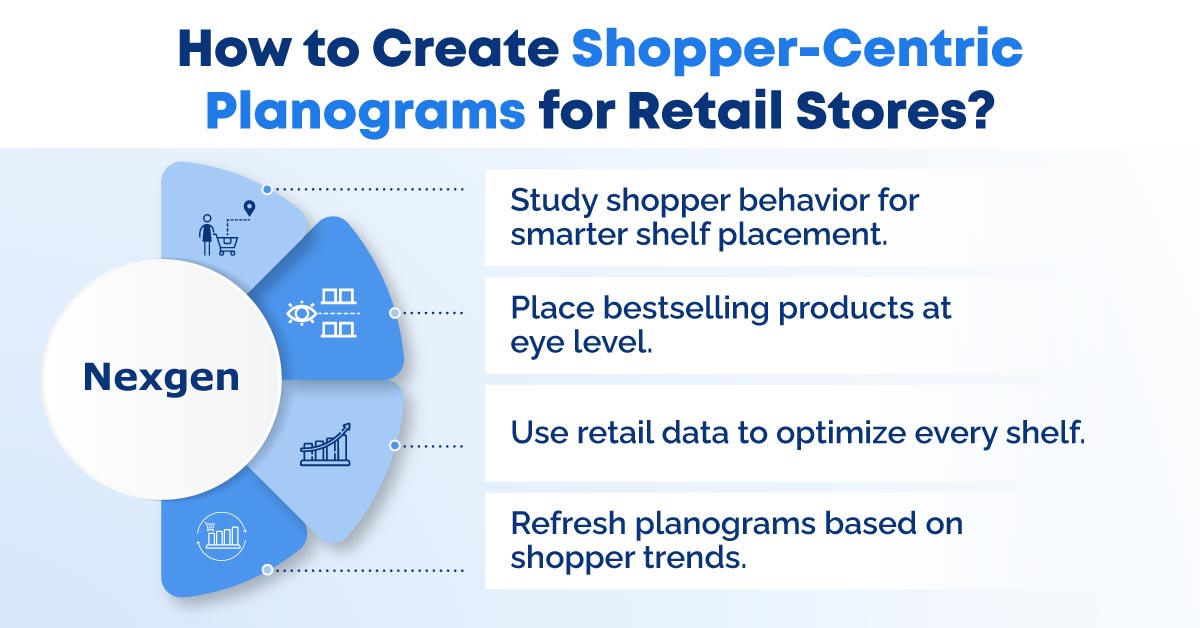
The Role of Shopper Understanding
Retail success today depends on understanding shopper behavior. Instead of expecting customers to adapt to store layouts, retailers must design shelves around natural shopping patterns. Shopper-centric planning ensures:
- High-demand products are placed at eye level.
- Complementary items are grouped together.
- Layouts guide customer flow seamlessly.
This approach improves both customer experience and sales performance.
Step-by-Step Guide to Creating Shopper-Centric Planograms
Step 1: Understand Your Shopper Behavior
Start with insights, not assumptions. Analyze how customers navigate your store and make purchase decisions. Use data such as sales reports, heatmaps, and in-store observations to identify:
- High-traffic zones.
- Frequently purchased items.
- Products often bought together.
The goal is to align shelf layouts with natural shopping behavior.
Step 2: Define Clear Category Roles
Each product serves a different purpose. Classify items into roles such as:
- Destination products (must-have items).
- Routine essentials.
- Impulse buys.
- Premium or high-margin products.
This helps prioritize placement based on shopper interaction.
Step 3: Create Logical Category Zoning
Group related products in a way that feels intuitive to shoppers:
- Place complementary products together.
- Keep similar items within the same visual block.
- Avoid scattering categories across aisles.
Logical zoning simplifies navigation and improves decision-making.
Step 4: Optimize Shelf Placement Strategically
Placement directly impacts sales. Follow these key principles:
- Eye-level is buy-level for high-demand items.
- Use vertical blocking for better visibility.
- Keep bestsellers within easy reach.
- Place impulse items near checkout or high-traffic areas.
Step 5: Design for Visual Clarity
Clean and structured layouts enhance engagement:
- Maintain consistent spacing and alignment.
- Use clear labels and signage.
- Avoid overcrowding shelves.
- Highlight key products visually.
Simplicity helps shoppers make faster decisions.
Step 6: Leverage Data and Technology
Use modern tools to improve accuracy and efficiency:
- Track product performance.
- Identify slow-moving SKUs.
- Test different layouts.
- Automate planogram creation.
Data-driven planning transforms shelves into high-performing assets.
Step 7: Test, Measure, and Refine
Planograms should evolve continuously. Monitor performance using:
- Sales per square foot.
- Conversion rates.
- Dwell time.
- Basket size.
Refine layouts based on insights to match changing shopper behavior.
Step 8: Ensure Store-Level Execution
Even the best strategy needs proper execution. Ensure consistency by providing:
- Clear visual guidelines.
- Simple instructions for store teams.
- Regular compliance checks.
Consistent execution across stores delivers a unified shopping experience.
Overview of Nexgen POG
Nexgen POG is a robust and user-friendly cloud-based visual merchandising tool. It is designed for quick and efficient planogramming with minimal effort. Planograms in retail can be designed by easily dragging and dropping the products. AI-driven autofill capabilities can automatically arrange products based on predefined rules, category roles, and sales data, significantly reducing the time required to build accurate and high-performing planograms. The multi-device compatibility feature of POG allows you to obtain, share, and edit on any device, including your phone. It helps in designing store-specific planograms for increased product visibility and sales.
Get Your Free Trial Today!