Launching a new product in retail is more than just getting it onto the shelf—it is about where it sits, how it is presented, and whether shoppers notice it at the right moment. Even strong products can fail if shelf placement is poorly planned. This is where planogram planning becomes a critical success factor for new product launches.
This tactical guide breaks down how retailers and brands can use planograms to improve visibility, speed to shelf, and early sales performance when introducing new products.
Why Planograms Matter for New Product Launches?
New products lack sales history and shopper familiarity, making shelf placement decisions high-risk. A planogram removes guesswork by providing a structured, data-backed approach to placing new SKUs alongside existing assortments.
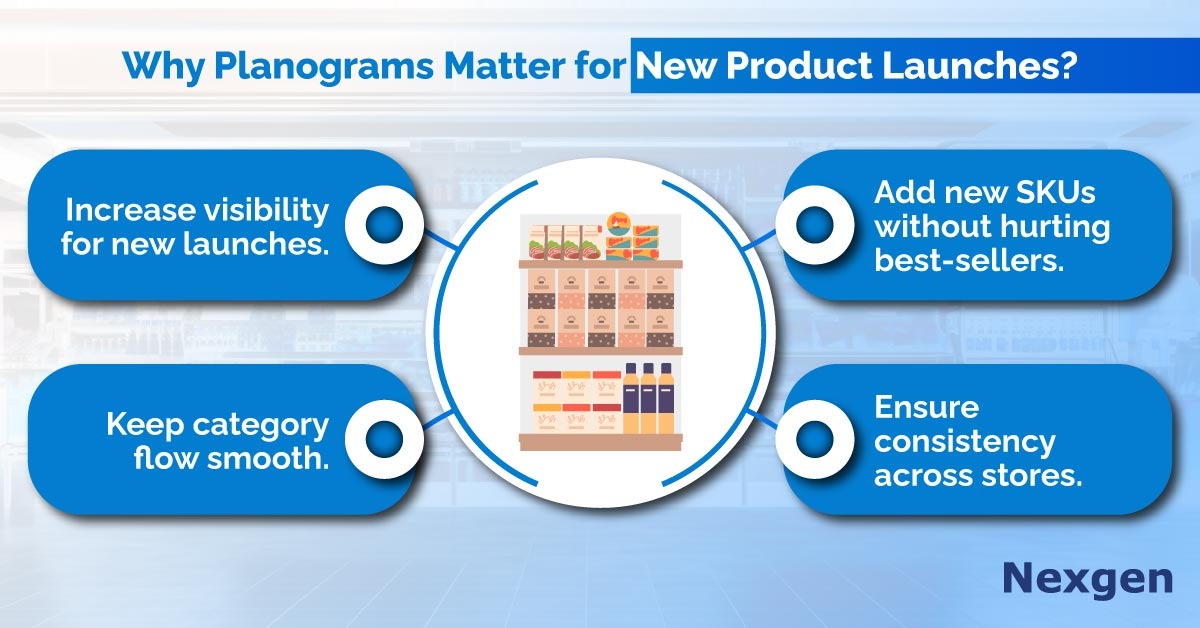
Effective planogram planning helps retailers:
- Secure optimal shelf visibility for new launches.
- Balance new SKUs without disrupting top-performing products.
- Maintain category flow and shopper navigation.
- Execute consistent launches across multiple stores.
When done right, planograms turn launches into repeatable, scalable rollouts.
Step 1: Define the Role of the New Product
Before assigning shelf space, retailers must define why the product exists in the category. Is it:
- A premium upgrade?
- A value alternative?
- A seasonal or trend-driven SKU?
- A replacement or extension of an existing range?
Clarifying the product’s role helps determine its ideal shelf zone, adjacency, and facings within the planogram.
Step 2: Analyze Category and Shopper Behavior
New product placement should align with how shoppers currently browse the category. Use category data to understand:
- High-traffic shelf zones (eye-level, hand-level).
- Purchase drivers and decision points.
- Brand switching and comparison behavior.
Placing new products near strong sellers or complementary items increases discoverability without overwhelming shoppers.
Step 3: Allocate Space Strategically
One of the biggest challenges in new launches is space constraint. Planograms help retailers test different space allocation scenarios before execution. Key considerations include:
- Minimum viable facings to ensure visibility.
- Avoiding over-allocation that hurts proven SKUs.
- Maintaining shelf balance and visual clarity.
Tactical planogram planning ensures new products earn space without compromising overall category performance.
Step 4: Use Virtual Planograms to Test Before Launch
Virtual planograms let teams visualize shelf layouts before implementation. Retailers can:
- Simulate multiple placement options.
- Identify potential shelf conflicts early.
- Compare impact on existing assortments.
This reduces costly rework and ensures faster, smoother in-store execution during launch periods.
Step 5: Ensure Consistent Execution Across Stores
Inconsistent shelf execution can derail even the best launches. Planograms act as a single source of truth, ensuring:
- Uniform placement across locations.
- Faster store-level rollout.
- Clear guidance for merchandisers.
Consistency is especially critical for national or multi-store product launches.
Step 6: Monitor Performance and Optimize Post-Launch
Planogram planning does not stop once the product hits the shelf. Early sales data should be reviewed to assess:
- Shelf visibility effectiveness.
- The rate of sales compared to expectations.
- Shopper interaction and movement.
Planograms can then be refined to increase facings, reposition products, or adjust adjacencies based on real performance.
Common Mistakes to Avoid in New Product Planogram Planning
- Treating new SKUs, the same as established products.
- Ignoring shopper flow within the category.
- Overcrowding shelves during launch periods.
- Delaying planogram updates after launch feedback.
Avoiding these mistakes helps retailers protect both new and existing sales.
Overview of Nexgen POG
Nexgen POG is a robust and user-friendly cloud-based visual merchandising tool. It is designed for quick and efficient planogramming with minimal effort. Planograms in retail can be designed by easily dragging and dropping the products. The multi-device compatibility feature of POG allows you to obtain, share and edit on any device, including your phone. It helps in designing store-specific planograms for increased product visibility and sales.
Get Your Free Trial Today!